
Supported Applications

The Retro-Printer Module connected to the Raspberry Pi – ready for a computer to connect to the Retro-Printer’s centronics connector
Initially designed to replace an Epson standard ESC/P printer (such as a dot matrix printer, or early Epson inkjet printer), or a Postscript printer (HP PCL), the Retro-Printer Module forms an essential tool as centronics printers become harder to obtain, as do their consumables, such as printer ribbons and even ink cartridges.
The Retro-Printer module software now emulates a wide range of printers by capturing the output originally intended to be printed direct from a centronics port; interpreting that data and converting it into a format which can then be stored electronically or printed on a modern USB or network printer.
As such, the Retro-Printer is so much more than a printer emulator – it helps to extend the working life of older equipment by ensuring an easy method of connecting modern printers and even connecting the equipment to a network. It can turn older machines into Internet of Things (IoT) devices by allowing you to broadcast captured data to a network or other device.
Unlike most modern printers, the Retro-Printer can understand plain text, or text formatted using industry standard control codes, such as Epson ESC/P and ESC/P2, HP PCL, PJL and PGL (graphic plotters) and so much more, as we can reverse engineer the various printer standards developed over the early days of the home computer and industrial computer market.
Our 35+ year history of developing applications on 8-bit and 16-bit home computers, as well as developing applications for industrial PLCs mean that we have a unique approach to customer relations, and creating bespoke solutions for industrial customers which can ensure the longevity of both low cost home computers and £multi-million processing plants.
For the majority of applications which expect to send their output via a parallel port, this will allow you to connect a modern low cost printer in its place, or store the output electronically and help reduce your carbon footprint. Even if your application is a little out of the ordinary, we continue to add a range of printer emulators and output options as user demand requires.
Applications may range from a DOS based program, a retro computer, such as the Sinclair QL, Sinclair ZX Spectrum, Amstrad PCW and Commdore Amiga home computers, or even the parallel (centronics) port attached to an industrial lathe, outputting simple log files and status codes; or even replacing a dot matrix printer connected to a PLC or complex monitoring equipment.

Commodore C64 Example Ouput
If you have a piece of test equipment, legacy computer or anything else which has a standard parallel port then the Retro-Printer can capture the data and allow you to store it electronically, or print on a modern USB printer. As well as offering options to capture RS-232, RS-422 and RS-485 serial connections, even if you have a non-standard parallel port, we can work with you to decode the output and provide you with a means of collecting and converting the data.
We can work with you to customise the way in which the captured data is processed – we offer inbuilt functions to print it, store it as a PDF, or to extract text from an Epson printer stream and store it in a log file. Other options would be to log the captured data direct to a SQL database, or an Excel spreadsheet for monitoring what is happening across a system.
Thanks to our experience of industrial applications, we are happy to engineer bespoke solutions: for example, for one industrial customer, we developed a method of determining when to produce a print-out from identifying messages in their native PLC code which would indicate an error or end of process.
We have however, experienced issues with data from machines which run a Windows based operating system (Windows 95 and later), unless you can choose an early printer driver, such as the HP Deskjet 690C or Epson FX-80 printers.
Successful Implementations
To date, we are aware of users who have successfully used the Retro-Printer to act either as an e-printer, or allow the replacement of the original printer with a USB/network printer with the following equipment:
- 911 Emergency Call Center System (UDS Motorola 202T modems)
- Acorn BBC Micro (B) Home Computer
- Aeroflex IFR-2398 Marconi Spectrum Analyzer
- Amstrad CPC464 and CPC6128 with a 34 way edge connector to centronics cable
- AT&T Unix PC 7300
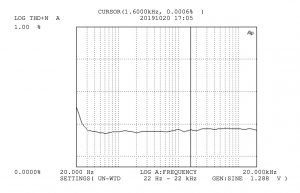
Audio Precision AT-1 Example Ouput
- Atari 130XE, Atari 800XL and Atari ST Home Computers
- Audio Precision ATS-1 (high-end audio measurement system)
- Beckman Coulter LS-6500 Liquid Scintillation Counter (output converted to CSV file)
- Bingo Hall systems
- Böhm ABK1 scales (weighing machine from 1991).
- Bowling Alley Compu-Score machines
- Bowling Alley ProScore machines
- CAE 737 Flight Simulator connected to Printronix-P series printer
- Cabletest International Horizon 1500 Cable Analyzer.
- Chopin AlveoLink NG recorder calculator (HP emulation with custom changes to the data as captured)
- Coleco ADAM Computer with MIB238 Centronics interface
- Commodore Amiga A1200 Home Computer
- Commodore C64 Home Computer with a W&T92000 serial to centronics adaptor
- Commodore C64 Home Computer with Cardco “Card / Print B” and “Card / Print +G” adaptors
- Commodore C64 Home Computer with Micro R&D “Micrografix MW-350” adaptor
- Commodore PC 40-III 80286 Computer
- Console Terminals running DOS based programs with output sent over HTTPS to SCADA server for monitoring messages (and secondary SCADA backup)
- Cotswold Mechanical Limited / PAC Software Linear Weigher Machine (via RS232)
- DELL OptiPlex 466/Le computer running OS/2
- Deltronic MPC5 PLC (needed original serial cable)
- Depac Dyno Software (HP PCL3 setting)
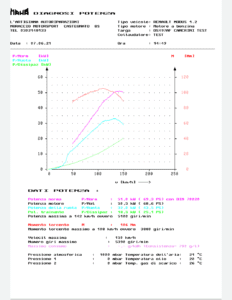
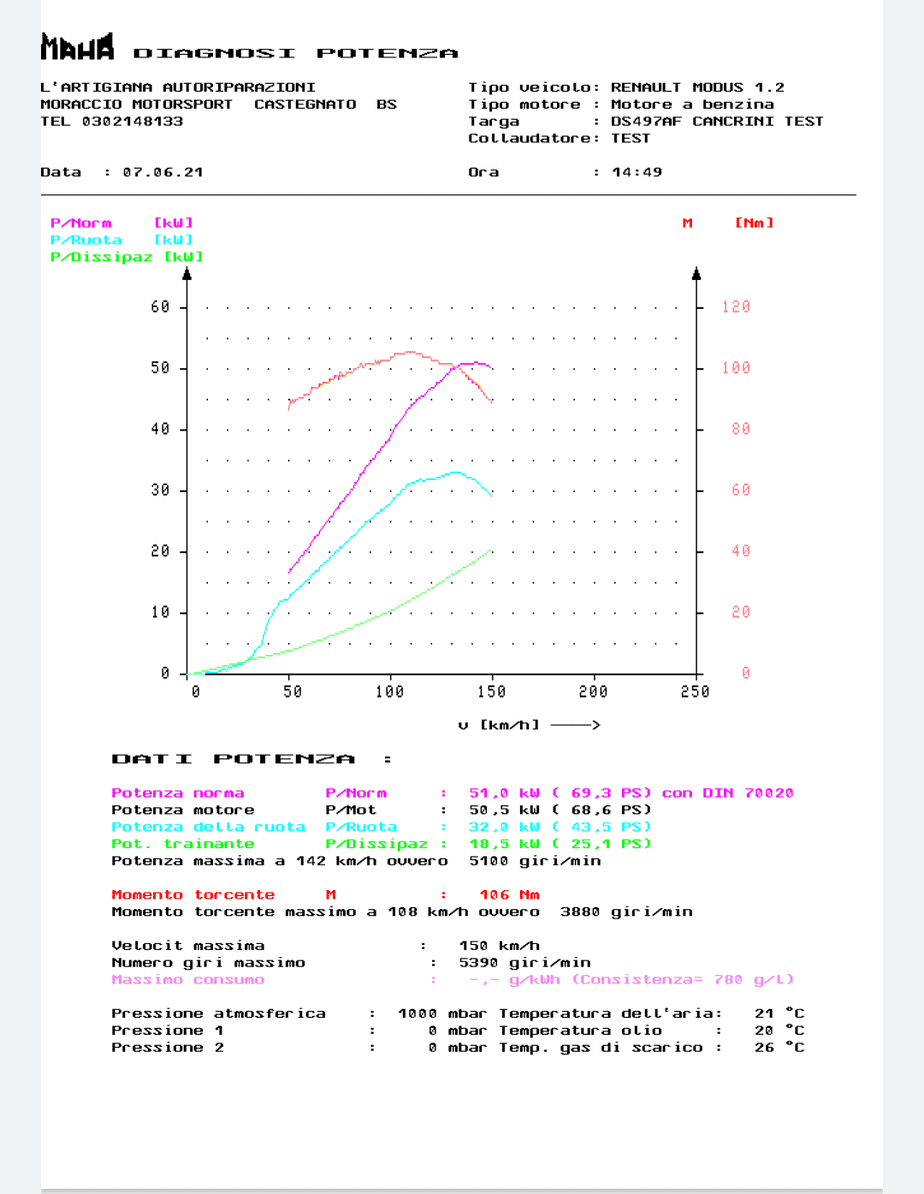
Maha LPS2000 Rolling Road Output
- Door Entry Systems
- DOS based computer (for a concrete batching plant) connected to Genicom Tally T2340 printer
- Dynamic Test System Dynamometer (DTS 4000G) with HP PCL emulation
- Escon R50 Brake Testing Machine
- Electricity Calibration Program running on Windows 95 PC (plus custom PCBs)
- FSA Spectrum analyser by Rohde & Schwarz
- FlightSafety International Flight Simulator connected to Mannesmann Tally MT660 Line Printer
- Gamma Counter (logs the readings to text file)
- GE Series One Junior PLC with printer interface IC610PER151D (software amended to show character 0x7C as ‘/’ )
- Greiner Vibograph B600 Watch Timing Machine (‘Time Grapher’)
- HP E4407 Spectrum Analyzer
- Hines Automation “Dominator” Hard-Bearing Engine Balancing Machine
- Hirayama Retort Sterilizer HLM-36 (software looks for specific strings for end of job)
- InertiaTech Technology Model 400BX Welder (DOS 6.22)
- Injection Moulding Machines with Engel EC88 Controllers
- Leading Edge Research DL8 Transient Fault Recorder (IBM Emulation)
- Maguire Gravimetric Blenders (WSB series with old 6811 controllers)
- Maha LPS2000 (Automotive Dynamometer – Rolling Road)
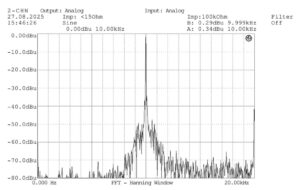
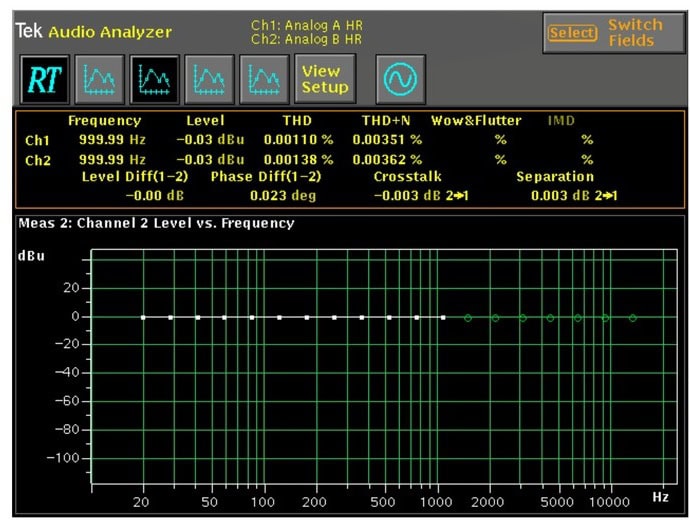
Neutrik A2 Output
- Mettler Toledo DL55 Titrator
- Neutrik A2 Audio Analyzer (set to HP output and custom page size)
- Oric / Atmos Home Computer
- Packard Cobra II Gamma Counter Model 5003
- IBM Compatible PC running QADOS v5.0 and MS Works v2.0
- Picon II petrol pump console/forecourt controller – replacement of Star SP500 parallel port impact printer with Star mCPrint3 printer (using USB Passthrough)
- PDP-11 based Flight Simulator (forward captured output over TCP port 9100)
- Perkin Elmer Series II CHNS/O analyzer (connects via 25 pin serial port)
- Perkin Elmer 1470 WIZARD Gamma Counter
- Psion 3mx series handheld computer (v4 Retro-Printer required)
- Richard Simon Computapak II Controller UBM Weigher (Current Loop to Epson LX-400 Printer – uses the 8143 Serial Interface Card from the Epson printer)
- Richard Simon Computapak II Controller UBM Weigher (RS232 to Epson LQ-300 II Printer)
- Rockwell Automation / Allen-Bradley PLC-5 with serial interface
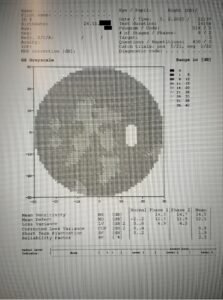
Opthalmology Eye Scanner
- Rohde & Schwarz ESIB26 Electromagnetic Compatability interference (EMC) measuring device.
- Seiko QT-2100 Watch Timing Machine (‘Time Grapher’) – Partial implementation only
- Siemens CP-523 Serial module on a Siemens S5 PLC
- Siemens CP340-RS232C Serial Module on a Siemens S7 PLC
- Sinclair QL Home Computer with a Miracle Systems Centronics convertor
- Sinclair ZX Spectrum with Romantic Robot Multiprint interface
- Sinclair ZX Spectrum +2A Printer Port
- Sinclair ZX Spectrum +3 Printer Port (needs +3e ROM to fix bug on the STROBE signal on the Spectrum)
- Sony DTA-2000 Tape Analyser
- Sony PDF-5 MiniDisc DATA EATA (document reader) with recreated PDK-1 printer cable
- Spectrum NEXT with LPRINT III interface
- Strobe Data Products HAWK System (Data General Nova and Eclipse replacement)
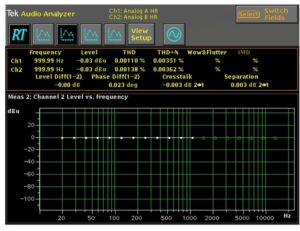
Tektronix AM700 Output
- Sun Workstation (set to output to a Postscript printer)
- Sun SPARCstation based flight simulator (the printer spool is moved using a Python script to the Retro-Printer for processing)
- Sysmex CA-1500 Lab analyzer for blood co-agulation
- Talyrond 250 Roundness Testing Machine
- Tandy TRS-80 Model 1 Computer and Model 102 Laptop
- Tascol Shore Bag Weigher (RS485 Connection)
- Tektronix 571 Curve Tracer (Epson emulation – with exchange_strings to change ESC L to ESC K)
- Tektronix TDS210 Oscilloscope with print functions (HP emulation)
- Tektronix AM700 Audio Measurement Tool (PS emulation over serial input)
- Teltek C60 Checkweigher
- Tinius Olsen H5K-S Tensile Strength Testing Machine
- Ultimate64 with Micro R&D “Micrografix MW-350” adaptor
- UNIKON UCS (Universal Club System) and ETS electronic racing pigeon clock with parallel port
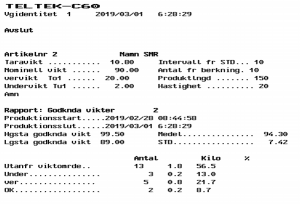
TelTek C60 Example Output
- Xenix based computer with parallel printer interface
- Zeiss Humphrey Automated Peripheral Visual Field Analyzers (various including HFA 720 & 740i models)




Failed to Support
Sometimes, even we are stumped by equipment and have to admit to being unsuccessful with the Retro-Printer. It is rare, but it does happen! To date this has affected:
- Colin VP-1000 Non-invasive Vascular Screening Device – the equipment seems to ignore the busy signal on the parallel port, meaning that we miss every third character (or so).
- Seiko QT-2100 Watch Timing Machine (‘Time Grapher’) – This partially works, but the graph output is hard to decode (as it does not use a traditional screen dump but expects a dedicated Seiko printer (the QT-2100P) which works by sending differentials from the expected straight line graph.
We hope some day to be able to pin these issues down and resolve them, so are willing to listen to ideas!
Connecting to a Serial Port
If you have a serial port rather than a parallel port, you can still use our standard Retro-Printer software to capture and emulate a serial printer.
You will just need a Raspberry Pi and USB to serial port adaptor to provide the connection to your RS-232 standard equipment. We have also managed to connect to RS485 and Current Loop connections – see our page on using the Retro-Printer to Capture Serial Data.
You will also need our Retro-Printer software and a USB Dongle (required to allow for serial port connection).
In all other respects, our software works the same as for the Centronics port version.
We are also open to new ideas and calls to add additional functionality.

